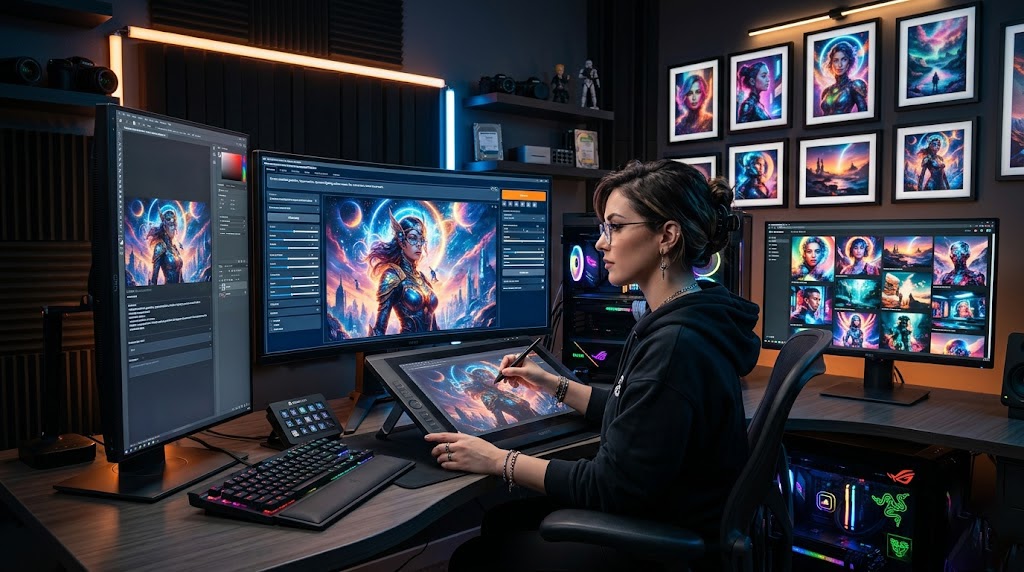
Piclumen AI is an AI image and video generation web app that creates visuals from prompts, pictures, and referrals. In this Piclumen AI review, we will be highlighting its features, pricing, beginner benefits, use cases, limitations, and determining if it’s worth using in 2026.
What is Piclumen AI?
Piclumen AI is a creative web-based tool to create images, edit visuals, and make short AI videos from text prompts or reference images. Rather than having to start with a blank canvas, users can outline the desired features and let the system generate visual alternatives that can be developed further as needed.
The power of Piclumen AI lies in its ability to consolidate various creative tasks in a single workflow. You could create an image from text, upload a picture and make a variation of it, or retain a character or style, or remove a background, upscale an image, extend a frame, recolour an old image, or animate a still visual. This makes Piclumen AI more than just a text-to-image generator.
Piclumen AI can eliminate the anxiety of mastering professional design tools before building something valuable for your business. Bloggers can develop concept visuals, marketers can test out the concepts of campaigns, students can prepare presentation visuals before hiring a designer, and small businesses can develop product mock-ups before employing a designer.
It’s often helpful to think of Piclumen AI as an AI Productivity Tool for Visual Work. It doesn’t eliminate the requirement to taste, edit, or use human judgement, but it can help to accelerate ideation. The better idea is to run the drafts through Piclumen AI, test them for style, create some variations, and find the best ones from the beginning, and then fine-tune the strongest one yourself.
The Overall Verdict From Piclumen AI Review 2026 is Very Promising
According to this Piclumen AI review, it is a good option to try in 2026 for those who are interested in developing AI images straight from the get-go, modifying existing visuals, and exploring visual concepts without the need for complicated design software. It’s particularly beneficial for creators who aren’t looking for flawless outcomes from one prompt.
Piclumen AI is easy to use, free to join, and versatile enough to use for social media graphics, blog graphics, fantasy articles, product concepts, character ideas, and short video experiments. But if you’re a heavy user, you might find that you need to pay for a plan, as the free one is limited. The quality of output is also highly dependent on the prompt clarity, reference quality, and refinement of the final image.
Reliably, the answer is straightforward: Piclumen AI is a valuable creative assistant, yet it’s not a complete substitute for a real designer, photographer, or editor.
Key Features of Piclumen AI
The benefits of the strongest Piclumen AI features are that they assist various elements in the visual creation process. A novice can begin with a prompt, a creator can upload a photo, and a marketer can edit the outcome without switching between too many tools.
Generate Images From Text
Piclumen AI can create images based on text. This can be helpful if you have an idea but don’t have the image asset. You can request a realistic product shot, an anime portrait, a fantasy background, a social media graphic, or a concept shot.
One-line prompts (‘make a poster’) are best avoided as they will not be effective. Employ a clear prompt formula: subject + style + lighting + camera angle + background + quality details. In the case of a “coffee ad,” describe the cup, setting, mood, colours, surface, lighting and platform.
Making Images From Texts
In addition to the image-to-text capabilities, Piclumen AI also enables image-to-image creation. This means that you will be able to upload a reference picture and direct the tool with a tip. It is helpful when you want to preserve the same composition, but alter the visual style, make a new version of a product image, or try various looks for the same character.
This is especially useful for creators who have a basic idea but are looking to create something more artistic or brand-appropriate. It’s also a great way for small businesses to develop early ideas for product campaigns without investing in any shooting.
Generating Images With Artificial Intelligence From Photos?
Use Piclumen AI to transform photos into AI images, not just a random generator. Upload a clear reference image, decide whether to keep content, style, or character, and write a prompt with an explanation of what should be different and what should be the same.
- Upload a clear reference picture with a definite subject.
- The reference type should be selected (content, style, or character).
- Compose a specific prompt with mood, setting, and output style.
- Choose the aspect ratio based on the picture’s use.
- Create multiple versions, rather than taking the first output.
- Before downloading, edit, upscale, or remix the best result.
AI Editing Tools
Piclumen AI also features editing tools to enhance or adjust an image that is generated or uploaded. They can be AI Replace, Image Extender, Background Remover, Image Upscaler, Image Colourizer, Remix, and Prompt Enhancement. The downside is that you may not always want to create the entire image again if it is just one area that isn’t correct.
If the background is poor, but the subject is good, consider background removal or replacement. If the image seems to be small or soft after choosing the best composition, perform upscaling. If the prompt is not clear, consider prompt enhancement and then continue to create more variations.
Create Videos and Add Graphics
Additionally, Piclumen AI offers video generation and visual effects. Users can use prompts to make short videos or animate still pictures to post online for social media, marketing, storytelling, and experimental content. Useful for creators who wish to have visuals with motion without having to begin in a conventional video editing program.
Unless creating videos for AI is your primary goal, the video side should be considered an extra workflow. If you don’t know your way around, image generation and image editing are the best places to begin.
Piclumen AI Benefits for Beginners
Probably the most significant advantage of Piclumen AI for beginners is the reduction in the barriers to visual creation. Don’t worry about layers, masks, lighting theory, or advanced editing menus before you create your first idea. Begin with simple words and learn as you go.
Piclumen AI can also assist novices in mastering the art of prompt writing. Each result will give you a lesson – perhaps the subject was too general, there was a lack of light, the style was not clear, or the aspect ratio wasn’t correct. This, in turn, will make you a better visual thinker over time.
Most of the websites lack a convincing habit, which is to have a quick testing sheet. This will safeguard random generation and supply a great deal of insight into what works and what does not. Create a basic worksheet with the following columns: prompt, model or style, aspect ratio, result quality, and what to improve. Once you try it a few times, you’ll start to see a pattern, and Piclumen AI will be easier to handle.
Beginners should also save any prompts that yield helpful outputs, consider multiple variations, and refrain from downloading too early. Make, edit, and select. In this context, Piclumen AI transforms into a creative process that can be replicated, not an experiment that requires just one click.
Is PicLumen 100% Free?
PicLumen is complimentary to use, but is not exactly unlimited in all situations. The free Basic plan does not require any payment, but Lumens are like usage credits for creating actions. There are also PicLumen AI Relax Mode options, and free users continue to have restrictions on speed, queue capacity, saved images, and work volume.
What is the Best AI Image Generator With no Cost?
While there are free AI image generators, many times “100% free” implies strings attached. Most tools restrict credit, queue priority, resolution, commercial rights, saved history, watermark settings, private generation, model access, or daily output. Therefore, free isn’t always free.
One of the free-to-start tools is Piclumen AI, which allows users to try out creating images without initial payment. However, when you are looking for professional output daily, you will want to analyze and compare the features of Piclumen AI with other options, and read the updated plans in detail before using it for business purposes.
The good plan is to test out ideas with free AI tools and invest in paid ones when the savings from using the tool are worth the price.
Does PicLumen AI Really Enhance Photos?
Yes, PicLumen AI can enhance the quality of photos in certain aspects, particularly in upscaling and editing. It is crucial to be realistic, though. Piclumen AI can improve image sharpness, increase the resolution of images, remove backgrounds, extend frames, or replace areas that have problems, but it cannot fix every poor image.
The ideal workflow would be to nail down the concept and then upscale it. Avoid over-optimistic scaling up of a poor result. Determine a good composition, fix visual problems, add good lighting via the prompt, remove distractions, and upscale it.
When removing the background from product images, look at the edges carefully. When taking portraits, check eyes, hands, jewellery, text, and hair. While Piclumen AI can be a great time-saver, it is important to have the image checked by a human before it is published or used commercially.
If You Are New to Piclumen AI, This Tutorial Will Guide You through the Basics Needed to Get Started
This Piclumen AI how-to workflow is created for people who are just beginning and want to get improved outcomes without using credits or time.
- Open the image or video workspace by creating an account.
- Click Text to Image (if you’re starting with just an idea) or Image to Image (if you already have a reference photo).
- Choose a model or style that is equivalent to your desired outcome (realistic, anime, illustration, design, or video).
- Use the appropriate aspect ratio before generating. These are the ideal aspect ratios for social posts (1:1), product thumbnails (9:16), Reels, Shorts and TikTok (9:16), YouTube thumbnails, banners and website visuals (16:9), and Pinterest or full-body character images (2:3).
- Compose a prompt with subject, style, setting, mood, and lighting and quality information.
- Use negative prompts, where possible, when using the tool to minimise unwanted blur, additional fingers, distorted text, and messy backgrounds.
- Create multiple iterations and compare them to each other.
- To further enhance the best result, use Remix, Prompt Enhancement, AI Replace, or upscaling.
- Make sure to check out the details at full size before downloading.
This workflow will make Piclumen AI more predictable, as generation is no longer a game of guesswork.
Piclumen AI Use Cases
Piclumen AI helps with numerous day-to-day creative tasks. It depends on your need for speed, variety, visual direction, or final production quality.
- Piclumen AI can provide bloggers with concepts and graphics for articles before editing to help them get started.
- YouTubers can make a thumbnail concept, background art and scene ideas for scripts.
- Social media creators can create post graphics, Reels backgrounds, Story graphics and character graphics.
- Small businesses can test product mock-ups, packaging concepts and campaign visuals before spending on design.
- E-commerce vendors can create a clean product backdrop as well as style concepts before finalizing photos to ensure the final image matches the concept they have in mind.
- Game developers are able to view characters, environments, props and mood boards in advance.
- The writer can develop book cover ideas, fantasy images, location illustrations, and character sketches.
- Students can create presentation graphics and ideas for creative projects and illustration references.
If you are using it commercially, please check the terms on PicLumen’s website. Users also need to be aware that if they create a visual that looks like a protected brand, celebrity, character, or third-party artwork, they should not use it in public.
Piclumen AI Alternatives
If you have more specific requirements, Piclumen AI alternatives may come in handy. For artistic quality, Midjourney is favored; for general image creation, DALL·E is convenient; for game and concept art, Leonardo AI is popular; for Adobe users, Adobe Firefly is convenient; for quickly creating image layouts, Canva AI is convenient; for technical users, Stable Diffusion is convenient; and for users where text accuracy is important, Ideogram is convenient.
It depends on your goal which one you choose the right one. Piclumen AI excels in easy creation and editing. Adobe Firefly could be more suitable for brand-safe design workflows. Midjourney might work better for highly stylised art. For those seeking local control and model customisation, Stable Diffusion might be the suitable choice.
Avoid opting for an AI image tool due to its popularity. Select it depending on how you intend to use it, how much money you have to spend, the type of output you desire, how comfortable you are with privacy, and the editing content you need.
So, How About Piclumen AI Free or Paid?
The Piclumen AI decision, both free and paid, is straightforward when you get to the actual use. If you’re just trying out the tool, exploring its prompt capabilities, generating a few images for testing, or deciding if AI images are suitable for your project, then you should opt for the free plan.
If you need to make visuals on a regular basis, have more Lumens, have better queue capacity, save a lot of images, if you have a project on the client side, or video generation more frequently, then go with a paid plan. With paid access, it’s helpful if waiting or low capacity is starting to impact your content schedule.
Let’s examine the Final Verdict Before we sum up whether Piclumen AI is a Worthwhile Tool to use in 2026
If you’re looking for a user-friendly, accessible tool for creating images, modifying photos, experimenting with styles, editing photos, and brainstorming concepts for short AI videos, Piclumen AI is a great option to use in 2026. It’s particularly beneficial for bloggers, students, creators, marketers, and small businesses requiring fast visual guidance.
If you’re hoping for spot-on commercial visuals with one prompt, tight design control, or you’re not really interested in carefully viewing the output, it’s not ideal. Using Piclumen AI with clear instructions, experimenting with similar prompts, editing, and human oversight yields the best outcomes.
Conclusion
Piclumen AI is a handy tool for AI visuals generation for beginners, creators, and marketers who require rapid AI visuals creation. Features that truly make a difference are clear prompts, reference images, attention to detail, and an appropriate workflow. Do not pay much for a free upgrade, and only pay for a test result upgrade when it is actually improving your results.